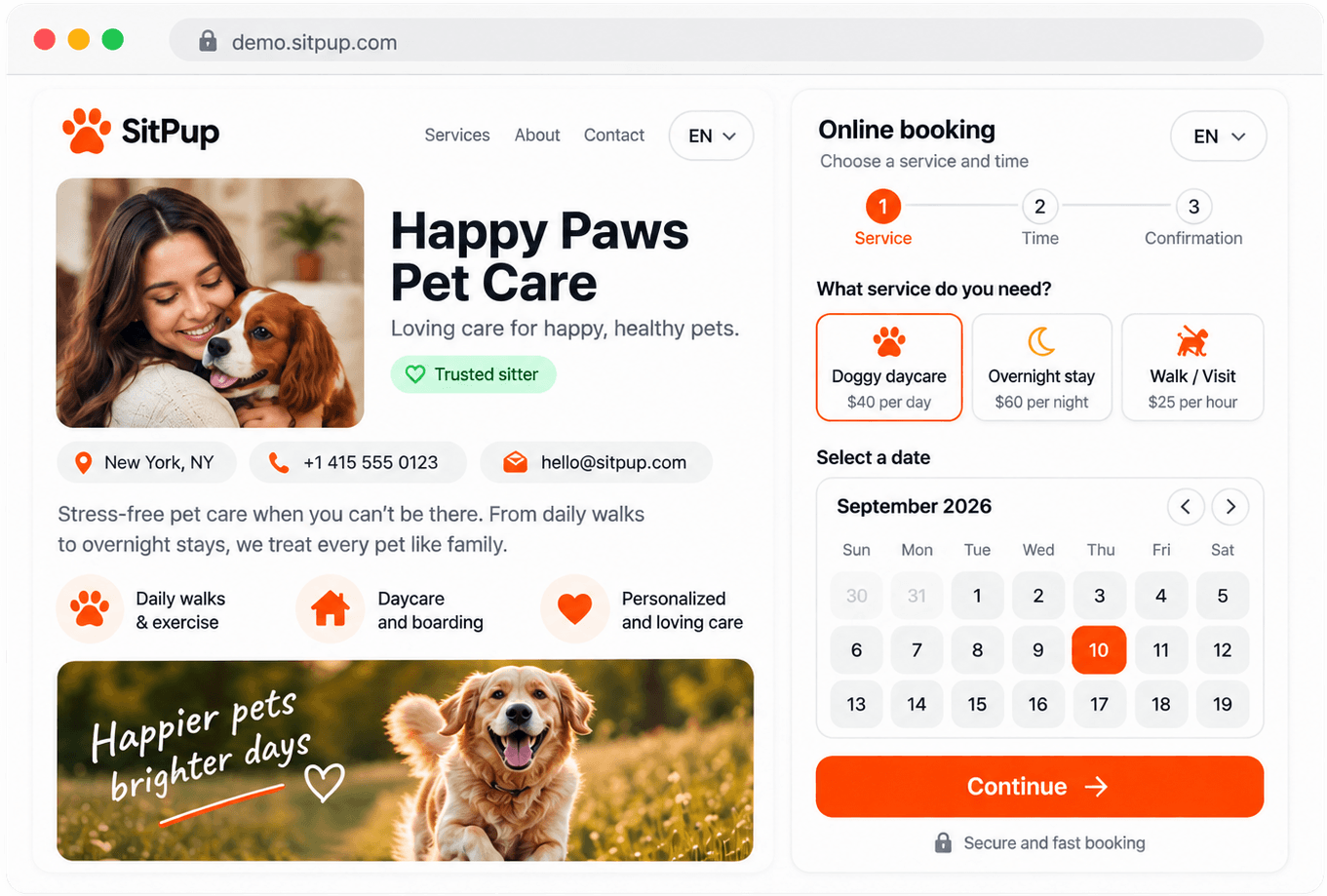
Services & prices
Set what you offer, by night or by stay, and what it costs.

Booking software for dog boarding
Dog boarding requests usually need more than a date. You need to know the dog, the stay length, care notes and whether you have space before saying yes. SitPup gives small boarding businesses a booking flow for that exact request.
A dog boarding request can start on Instagram, continue by phone, and end with dates scribbled in a note. That works until one detail goes missing or two stays overlap. With SitPup, a client chooses the service, selects dates, adds the dog's details, and sends one request for you to review.
The day-to-day pieces of taking boarding requests:
Set what you offer, by night or by stay, and what it costs.
See what's already booked before you accept anything new.
Confirm, edit or cancel any booking — the ones that arrive online and the ones you add yourself by phone.
Photos, your story, and an alert the moment a request lands.
Send an invoice from any confirmed booking and track whether it has been paid.
Every client and pet is saved automatically, with their full booking and invoice history in one place.
If you do not have a website, you get a hosted page at your own address, like yourkennel.sitpup.com, with your photos, services and prices, ready to take requests. If you do have one, the widget puts the same booking form behind a button on your site. Neither costs extra on the Free plan, so plenty of small boarding businesses start with the page and add the widget later.
Each boarding service has its own capacity, whether that's a single dog per stay or several at once if you board more than one dog at a time. Once a date is fully booked for a service, SitPup stops accepting new requests for it instead of letting stays silently overlap.
Calendly-style tools are good at booking appointments. A boarding stay is different: it runs for days and occupies a space the whole time. SitPup treats the stay as a date range with dog details and a capacity limit, so you are not forcing boarding into a meeting format.
Overnight stays, daycare and drop-in visits are ready to switch on, so you're not building a service type from scratch.
Breed, age, weight and behaviour notes are collected before you have to say yes or no.
A stay blocks the days it actually runs, priced by night, with a capacity limit and a minimum-nights rule if you set one.
Weekend rates, seasonal pricing and different rates per dog size or type are available in the settings.
The dates, the dog and the notes are on the same request, and your calendar shows what is already booked before you reply. Requests come from your page or your own site, and SitPup does not add anything on top of what you charge.
If your boarding business already has a site, the booking button can live right inside it, near your services or prices, instead of sending people off to another platform to make a request.
Embed the button near services, prices or contact information.
Pet Booking WidgetThe Free plan includes the online page, booking widget, calendar and availability, 5 bookings per month, 3 gallery photos and the mobile app.
Check out the example booking page or try the widget below.
See the full booking flow from a client's perspective — from picking a service to confirmation.
Open booking demoOpens in a new tab
Add the SitPup widget and let clients book directly on your site.
Try the live widget
Start taking online bookings for free.
No credit card. Ready in minutes.
It helps boarding businesses collect stay dates, dog details and client contact information online.
Yes, and it scales with you: home boarding and independent boarders use it, and so do hotels running several stays at once, since capacity is set per service.
Customers choose dates and send a booking request online.
Yes, if your website allows embed code, you can use the booking widget.
Yes, and the same setup covers larger operations, since you set the capacity per service.
SitPup does not charge commission on bookings.
Yes. The booking page, widget and calendar are included; check the pricing page for the current monthly limits.
Calendly books appointment slots. A boarding stay blocks a space for several days and needs the dog's details attached to the request. SitPup handles capacity per service, per-night pricing and a form that asks for breed, age and behaviour notes.
You can take an appointment with one, but boarding needs things a meeting scheduler doesn't track: a stay that occupies a space for several days straight, how many dogs you can hold at once, and the dog's own details. SitPup has those pieces ready; with a general scheduler you'd build them yourself.
Most of it is entering your real services. Switch on the pet types you accept, set prices and capacity per service, then add your weekly availability. There is nothing to install, and the only code involved is the optional two-line widget snippet.
No. Your SitPup booking page works on its own, and the widget is only for adding the same form to a site you already have.
Yes, you set a capacity per service, and SitPup stops taking new requests once that limit is reached for a given date.
Yes, the dashboard works through the SitPup mobile app, so you can review and confirm a stay without being at a computer.
Yes, 100+ pet care businesses, including dog boarders, already run bookings through SitPup. The feedback we hear most: setup is quick, and requests arrive with fewer missing details.
Set a capacity for each service and let clients send stay dates with the dog details attached, so you can see what is already booked before you confirm.