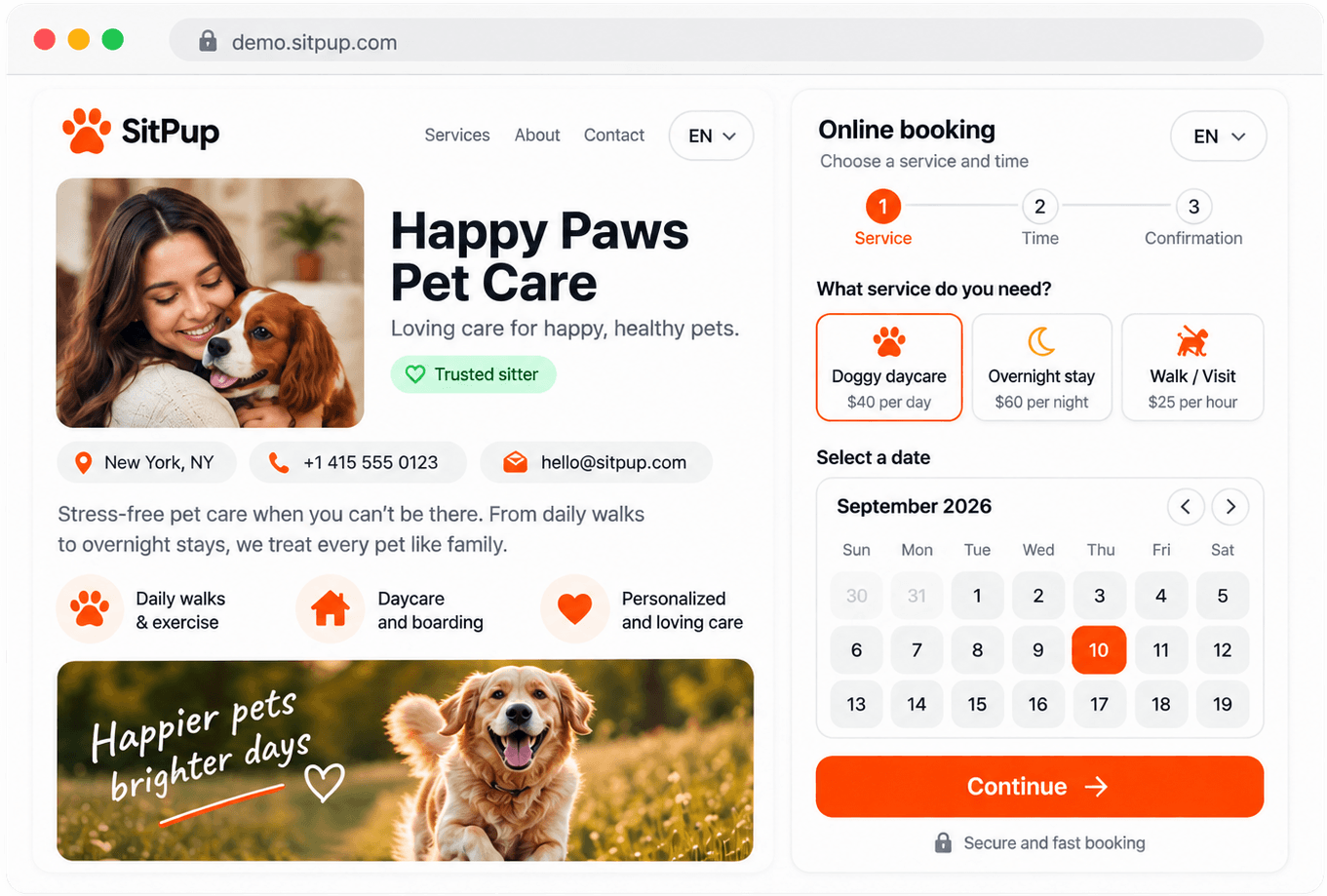
Public profile & gallery
A page clients can find, with your photos and services.

Booking software for pet sitters
Pet sitting work often starts in a message thread: dates, address, pet habits, price questions, then another message three days later. SitPup gives independent sitters a cleaner place to receive and manage those requests.
WhatsApp, Instagram, email, a phone note and Google Calendar can work at the start. The problem comes when one booking is spread across all of them. With SitPup, a client opens your booking page or widget, chooses a service and dates, adds pet details, and sends the request. You review it before confirming anything.
The day-to-day pieces of taking bookings:
A page clients can find, with your photos and services.
Set what you offer, what it costs, and when you're free.
Confirm, edit or cancel any booking — the ones that arrive online and the ones you add yourself by phone.
Know the moment a request comes in.
Send an invoice from any confirmed booking and track whether it has been paid.
Every client and pet is saved automatically, with their full booking and invoice history in one place.
Every SitPup account comes with a hosted booking page at your own address, like yourname.sitpup.com. It carries your description, gallery, services and prices, and clients book straight from it. For a lot of independent sitters that page is the whole setup: you share the link in your Instagram bio, in a message or on a flyer, and that is where bookings come from. The widget is the other option, for when you already have a website and want the button inside it. Both are in the Free plan, and you can use one or both.
You add your phone and email, turn on the pet types you accept, and list your services with a price and a capacity limit for each. For every service you choose where you care for pets: at your own place, at the client's home, or both. You also decide when a client's contact details are shared with you: right away, or only after you confirm the booking.
Booking a week-long stay is not the same as booking a 30-minute meeting. Calendly-style tools start with appointment slots; SitPup starts with pet care services, pet details, date ranges and capacity limits. Setup is mostly checking the defaults and changing prices.
Switch on walks, drop-in visits, daycare and overnight stays instead of building service types from a blank form.
Breed, age, weight, feeding and medication notes are ready fields, not questions you write and maintain yourself.
Charge by visit or by night, set a minimum stay length, and cap how many pets you take on for a given date.
Weekend rates, holiday pricing, minimum-night rules and per-pet-type prices are available when you need them.
Clients send requests through your booking page or your website widget. You set the price, decide what to confirm and handle payment your way. SitPup does not take a percentage.
Keep it. Add the SitPup widget as the booking entry point, right where clients already read about your services, and skip building or maintaining a second site just to take requests.
Use the SitPup widget as the booking entry point on your current site.
Pet Booking WidgetThe Free plan is enough to try it on real requests: 5 bookings per month, 3 gallery photos, an online page, the booking widget, calendar and availability, plus the mobile app.
Check out the example booking page or try the widget below.
See the full booking flow from a client's perspective — from picking a service to confirmation.
Open booking demoOpens in a new tab
Add the SitPup widget and let clients book directly on your site.
Try the live widget
Start taking online bookings for free.
No credit card. Ready in minutes.
It helps a sitter collect booking requests, requested dates, pet information and client details in a more structured way than chat messages.
Not always. It becomes useful when you spend too much time asking for missing details or checking dates manually.
They can send booking requests online. You still decide what to accept and how to handle payment or final confirmation.
Yes, if your site supports embed code, you can use the booking widget there.
No directory listing and no other providers on the same page. SitPup runs your own booking channel, with your prices, your branding and your clients.
No, SitPup doesn't take a cut of your bookings.
There is. The Free plan is available with the limits shown on the pricing page.
Calendly and similar tools handle one thing well: a meeting slot. Pet sitting needs a date range, the animal's details and where the care happens, so SitPup starts with walk, visit, daycare and overnight templates, a pet-details form and capacity per service.
You can book a single visit with one. The gaps show up when you need to know how many pets you can take that day, collect feeding or medication notes, or price a weekend differently from a weekday.
Most of it is entering your real services. Switch on the pet types you accept, set prices and capacity per service, then add your weekly availability. There is nothing to install, and the only code involved is the optional two-line widget snippet.
No. You get a hosted booking page at your own address, with your services and prices, that works on its own.
You can. Add a manual reservation from the dashboard yourself, and phone or in-person requests sit next to online ones in the same calendar.
No. Setup is a guided dashboard form; the only optional step involving code is pasting the widget snippet into your website if you want it there too.
Yes, 100+ pet sitting businesses run bookings through SitPup today. The most common feedback: setup is quick, and fewer details get lost between messages.
Set your services and availability once. Clients send dates, pet details and notes before you decide what to confirm. The Free plan is enough to try it on real bookings.